
Have you ever booked a hotel on Booking.com and then needed to cancel it? Whether your plans changed unexpectedly or you found a better deal, knowing how to cancel your reservation quickly and without hassle is important.
In this guide, you’ll discover simple steps to cancel your booking, avoid unnecessary fees, and keep your travel plans stress-free. Keep reading to learn exactly what you need to do to take control of your hotel reservations on Booking. com.
Booking Com Cancellation Policies
Booking.com offers different types of reservationsthat affect cancellation rules. Some bookings allow free cancellation. These let you cancel without paying a fee before a certain date. It is good to check the deadline to avoid charges.
Other bookings are non-refundable. These usually cost less but cannot be canceled for a refund. If canceled, no money is returned. Make sure to read the terms before booking.
| Reservation Type | Cancellation Option | Refund Policy |
|---|---|---|
| Free Cancellation | Cancel before deadline | Full refund if canceled on time |
| Non-refundable | No cancellation allowed | No refund if canceled |
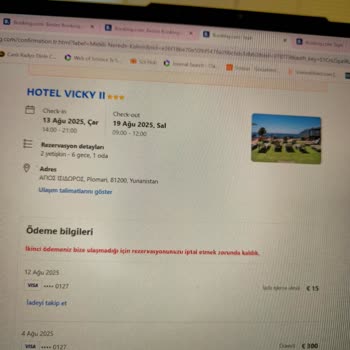
Credit: www.sikayetvar.com
Before You Cancel
Check the cancellation deadlineto avoid extra charges. Each hotel sets its own rules. Some allow free cancellation up to a certain date. Others may charge fees if you cancel late. Knowing this date helps you save money.
Read the penalties and feescarefully. Some bookings have non-refundable deposits. Others charge a percentage of the total cost. Sometimes there are no fees at all. This depends on the hotel’s policy and your booking type.
Keep your booking detailsready before canceling. This includes your confirmation number, booking dates, and hotel name. Having these helps you cancel faster. It also makes communication with customer service easier.
Canceling Via Website
Begin by opening the Booking.comwebsite. Use your email and password to log into your account. This gives access to all your bookings in one place.
Find the section named ‘My Bookings’. Here, all your current and past reservations appear. Look for the hotel reservation you want to cancel. It helps to check the dates and hotel name carefully.
Click on the reservation you want to cancel. A page with all booking details will open. Look for the ‘Cancel Booking’button. It usually appears near the booking summary.
Follow the prompts to confirm the cancellation. Read any notes about cancellation feesor refund policies. Confirm your choice to finalize the process. You will receive a confirmation email about the cancellation.

Credit: www.sikayetvar.com
Canceling Via Mobile App
Open the Booking.com mobile app and log into your account. Tap on the menu icon to find “Your Bookings.” This section shows all your current reservations.
Find the hotel booking you want to cancel. Tap on it to see the details. Look for the “Cancel Booking” button and tap it to start canceling.
Read the cancellation policy carefully. Confirm your choice by tapping the “Confirm Cancellation” button. You will get a cancellation confirmation message soon.
After Cancellation
After canceling your booking, a confirmation emailwill arrive. Check your inbox and spam folder.
The email shows your cancellation status and any refund details. Keep it for your records.
Refunds depend on the hotel’s policy. Some refunds are instant, others take days or weeks.
Booking.com usually processes refunds within 7 to 14 days. Your bank may take longer.
Need help? Contact Booking.com’s customer support. They are ready to assist you anytime.
- Use the Booking.com app or website to reach support.
- Chat, email, or call for quick responses.
- Have your booking number ready for faster service.

Credit: www.reddit.com
Tips To Avoid Cancellation Issues
Booking flexible rates lets you change plans without extra fees. These rates are often refundable and easier to cancel. Always check the cancellation policy before booking.
Setting reminders helps avoid missing cancellation deadlines. Use your phone or calendar app to alert you days before the last cancellation date. This prevents losing money on your reservation.
Communicating with the hotel can clear up doubts. Call or email the hotel to confirm your cancellation. Sometimes, they offer solutions or exceptions not listed online.
Frequently Asked Questions
How Can I Cancel A Booking.com Hotel Reservation?
Log in to your Booking. com account. Go to “My Bookings,” select your reservation, and click “Cancel Booking. ” Follow the prompts to complete the cancellation process quickly and easily.
Is There A Cancellation Fee On Booking.com?
Cancellation fees depend on the hotel’s policy. Some offer free cancellation within a specific period. Always check the cancellation terms before booking to avoid unexpected charges.
Can I Get A Refund After Canceling My Booking.com Hotel?
Refund eligibility depends on the hotel’s cancellation policy. If free cancellation applies, you typically get a full refund. Otherwise, partial or no refunds may apply based on timing and policy.
How Late Can I Cancel A Booking.com Reservation?
Cancellation deadlines vary by hotel. Many allow free cancellation up to 24 or 48 hours before check-in. Always verify the specific deadline in your booking details to avoid fees.
Conclusion
Canceling a hotel reservation on Booking. com is simple and stress-free. Follow the steps shared earlier in this guide. Always check the cancellation policy before confirming. This helps avoid unexpected fees. Keep your booking details handy for a smooth process.
Booking. com offers support if issues arise. Remember, quick action can save you money. Planning changes happens. Being prepared makes it easier. Enjoy your travels, even when plans shift. Safe journeys!